













Individuals
Welcome to our section for individual taxpayers
Taxpayers who meet their tax obligations play an important role in helping our country to grow and develop.
Here you will find information to help you meet your tax obligations, including information on how to:
- Everything you need to know about Filing Season and Auto-Assessments
- Register as a taxpayer
- Register for eFiling
- Submit a tax return
- What is my Personal Income Tax Return submission status
- Make a payment to SARS
- Raise a service issue
- Report a suspicious activity
- Find out about Advance Tax Directives
- Understand PAYE
- Visit our Tax Calendar
- Find out about Audit
- Understand Admin Penalty
- Raise Objections
- Make an Appeal
- Owing SARS money
- Raise a Debt Query
Businesses and Employers
Welcome to our Business and Employers’ area
Large and small businesses have a vital role to play as taxpayers but also as employers.
To find out more about your tax obligations as a business and as an employer, click on the following links:
The Government segment is a major taxpayer and we have a dedicated area with the latest news
for Government.
For large businesses, SARS has established Large Business Centre (LBC) to provide a one-stop
service to assist large businesses in meeting their tax obligations.
Click here to visit the LBC pages.
For small businesses, the SARS website has a special section that provides information, forms
and other advice for small businesses.
Click here to visit the Small Business page.
You can also call the SARS Contact Centre on 0800 00 SARS (7277) for more information or
assistance with a specific query.
To access this page in different languages, click on the links below:
Tax Practitioners
SARS places great value on a healthy professional relationship with Tax Practitioners who are key in providing a service to our clients the taxpayers.
What’s New
23 September 2026 – Latest Tax Practitioner Connect newsletter is now available
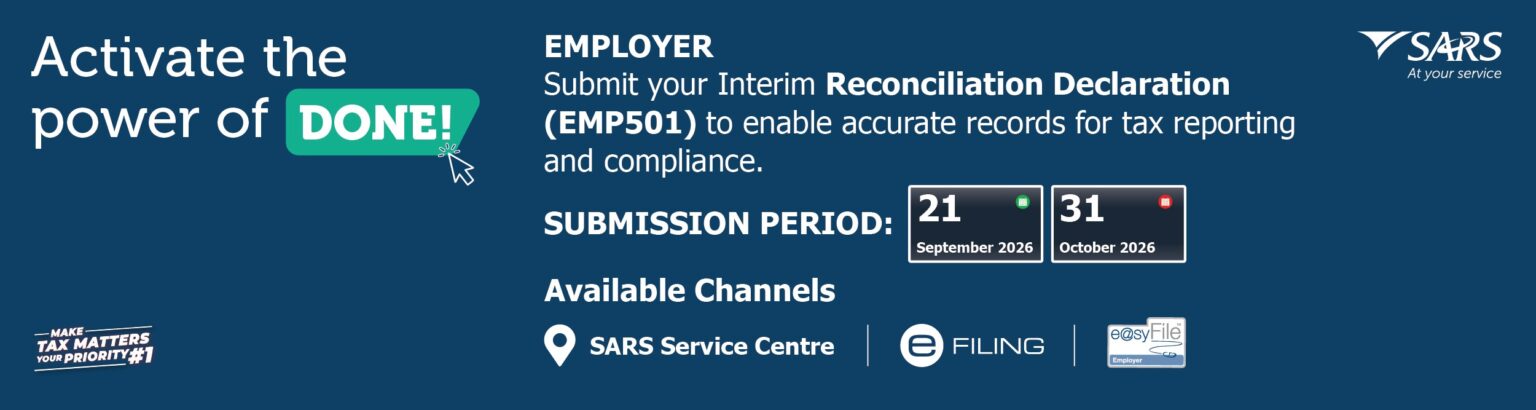
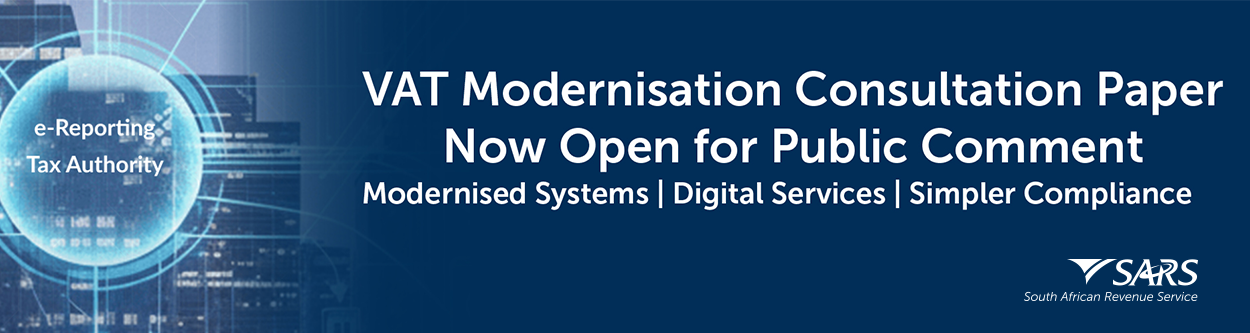
This edition highlights key dates and requirements for taxpayers, employers, trusts, and third-party data providers, including Trust Filing Season, bi-annual Third-Party Data submissions, Employer Interim Reconciliation, and the Individual Filing Season deadline. It also covers extended Saturday opening hours at selected SARS service centres. Find guidance on the Voluntary Disclosure Programme, Tax Compliance Status, and international transfers, as well as a new secure option to update contact details on eFiling without logging in. Stakeholders are invited to comment on VAT Modernisation by 16 October 2026. We encourage readers to note the key updates and take the necessary action within the prescribed timeframes.
18 August 2026 – Voice-service channels callback function for Tax Practitioners
As SARS, we are committed to improving our service channels,
particularly through technological enhancements.
Over the past few months, we have engaged with stakeholders across various Recognised
Controlling Body (RCB) platforms and have carefully considered concerns raised regarding the
callback functionality on our voice-service channels. These concerns included instances of
dropped callbacks and practitioners not receiving callbacks as expected.
To improve the callback facility, SARS introduced a limit of five (5) active callbacks per tax
practitioner at any given time.
Under this proposed change:
- Each tax practitioner can have a maximum of five active callback requests simultaneously.
- Once a callback has been successfully completed, the practitioner may submit a new callback request, subject to the maximum limit of five active callbacks.
- The system will automatically retain the first five callback requests registered.
- Any additional callback requests submitted while five active callbacks already exist will be automatically cancelled.
- This change will expand callback availability, reduce duplicate requests, and improve the overall efficiency and effectiveness of our service offering.
SARS appreciates your support and cooperation as we work to improve your service experience.
About Us
SARS places great value on a healthy professional relationship with Tax Practitioners who are key in providing a service to our clients the taxpayers.
SARS is therefore committed to:
- Engaging with practitioners continuously and constructively
- Providing access and channels to practitioners
- Specific Service offerings to registered practitioners
- Providing specific communications for Practitioners
Quick Tools
Customs and Excise

Welcome to Customs & Excise
SARS’s Customs division plays an integral role in facilitating the movement of goods and people entering or exiting the borders of the Republic.
The Excise division facilitates the levying of duties on certain locally manufactured goods as well as on their imported equivalents.
Quick Links
- Corporate Income Tax (including Capital Gains Tax)
- VAT
- PAYE, Unemployment Insurance Fund and Skills Development Levy
- Dividends tax
- Securities Transfer Tax
- Customs and Excise
- Mineral, Petroleum and Resource Royalty
- Donations Tax
- Turnover Tax
- Transfer Duty
What’s New in Customs?
- 30 June 2026 – Streamlining of the Customs and Excise query mailboxes
- 29 June 2026 – Interim Manual Refund and Drawback Process
- 29 June 2026 – FAQs for the Required Online Traveller Declarations
- 1 June 2026 – Implementation of the China Zero-Tariff Preference Scheme
What’s New in Excise?
- 18 September 2026 – Webinar on the release of the Diesel Refund Registration Programme
- 25 March 2026 – Update on the modernisation of the Diesel Refunds System
- 13 February 2026 – Adjustment to Diesel Refund for Onland Users
- 18 July 2025 – Updated Air Passenger Tax guide
Legal Counsel
Welcome to Legal Counsel
About Legal Counsel
Legal Counsel’s main purpose is to lead the realisation of SARS’s strategic goals through –
- advice on development of new tax legislation, and on the maintenance of the existing tax legislation
- negotiations on an international level to improve South Africa’s international treaty network
- facilitation and provision of direction on the uniform application and interpretation of all tax legislation administered by SARS
- providing a dispute resolution process for tax, customs and excise disputes, as well as litigation on all tax and customs matters
- providing legal support to officials on regional level
- providing corporate legal service to SARS
What to expect from us
Legal Counsel undertakes to –
- make Tariff Amendments available around 15:00 on the Thursday preceding the publication of the Government Notice in the Gazette
- continuously update this area with documents depicting the latest developments
- circulate draft documents for public comment for a minimum of one week
- continuously improve the quality of this area to serve as a proper database for our clients
Contact Us
SARS is making it easy for you to reach us.
We offer various digital and physical channels:
- Check My Auto Assessment Status
- Send us an SMS
- Send us a WhatsApp
- Via USSD
- Email us
- Ask our AI Assistant
- Send an Online Query
- Call us
- Make a Virtual Appointment
- Visit a Branch
- Find our Head office
- Find a Customs Contact and Office
- Find an Excise Contact and Office
- Send us a Compliment
- Lodge a Complaint
- Report a Tax Crime
Tax Rates
Tax Rate
Tax rates are proposed by the Minister of Finance in the annual Budget
Speech and fixed or passed by Parliament each year.
The Budget tax guide 2026 will be published on 25 February 2026 when the Minister of Finance
delivers his budget speech – keep an eye on the Budget webpage.
To see tax rates from 2014/5, see the Archive – Tax Rates webpage.
In this section you will find the tax rates for the past few years for:
- Income Tax
- Employers
- Transfer Duty
- TurnoveR Tax
- Other Tax
- VAT
- Donations Tax
- Estate Dudy
- Foreign Entertainers and Sportspersons
- Securities Transfer Tax (STT)
- Skill Development Levy
- Unemployment Insurance Contributions
- Tax on Internations Air Travel
The tax years are:
- 2027 tax year is 1 March 2026 – 28 February 2027
- 2026 tax year is 1 March 2025 – 28 February 2026
- 2025 tax year is 1 March 2024 – 28 February 2025
- 2024 tax year is 1 March 2023 – 29 February 2024
- 2023 tax year is 1 March 2022 – 28 February 2023
- 2022 tax year is 1 March 2021 – 28 February 2022
- 2021 tax year is 1 March 2020 – 28 February 2021
- 2020 tax year is 1 March 2019 – 29 February 2020
- 2019 tax year is 1 March 2018 – 28 February 2019
- 2018 tax year is 1 March 2017 – 28 February 2018
- 2017 tax year is 1 March 2016 – 28 February 2017
- 2015 tax year is 1 March 2014 – 28 February 2015
- 2014 tax year is 1 March 2013 – 28 February 2014
Quick reference
| Tax | Rate | Notes |
|---|---|---|
| Value-Added Tax | 15% | Standard rate |
| Corporate Income Tax | 27% | Standard companies |
| Dividends Tax | 20% | Beneficial owner rules apply |
| Skills Development Levy | 1% | Of total remuneration |
Information is recorded from current tax year to oldest, e.g. 2024,
2023, 2022, 2021, 2020, 2019, 2018, 2017, 2016, 2015, etc.
To see tax rates from 2014/5, see the Archive – Tax Rates webpage.
For more information on tax rates, see the Budget webpage.
Large Business and International (LBI)
Introduction
The Large Business & International Segment (LB&I) offers specialised services for specific industries: Financial Services; Mining; Manufacturing; Construction; General Sector; Telecommunications; Primary (including State-Owned Entities); and Retail. These individuals are supported by Operations Managers, Consultants, and Service Agents. LB&I also employs an expert debt and accounts-management team, which resolves queries and attends to all compliance and service needs. The Sector Area Lead is responsible for the end-to-end functions in each sector. The Sector Area Lead reports to the Business Area Head of LB&I Operations, under the Director of LB&I. Each sector has dedicated taxpayer Relationship Managers who are the taxpayer’s main point of contact. By contrast, Sector Leads are responsible and accountable for the sector’s operations and are the taxpayer’s second point of contact for escalated matters.
For each of these sectors, LB&I has a dedicated multi-disciplinary team consisting of a Sector Lead and Relationship Manager.
What counts as a Large Business?
- Groups or companies with turnover exceeding R1 billion
- Groups or companies listed on a stock exchange
- Multinational enterprises (including e-commerce or foreign electronic service providers)
- Financial-services groups or companies with turnover exceeding R500 million
- Mining groups/companies with turnover exceeding R500 million
What the Relationship Manager does
The Relationship Manager helps taxpayers to comply with their statutory obligations easily and promptly. LB&I Relationship Managers:
- Obtain a deep understanding of the taxpayer’s business, economic drivers, and the risk factors affecting compliance
- Keep taxpayers abreast of any system/process developments and their effects
- Plan the logistics of all interactions with taxpayers
- Educate taxpayers about SARS’s modernisation programmes
- Facilitate training on eFiling/e@syFile and other SARS systems
- Give taxpayers and traders timely and accessible guidance on their tax and customs obligations
- Resolve all taxpayer service queries
Trusts
What’s New?
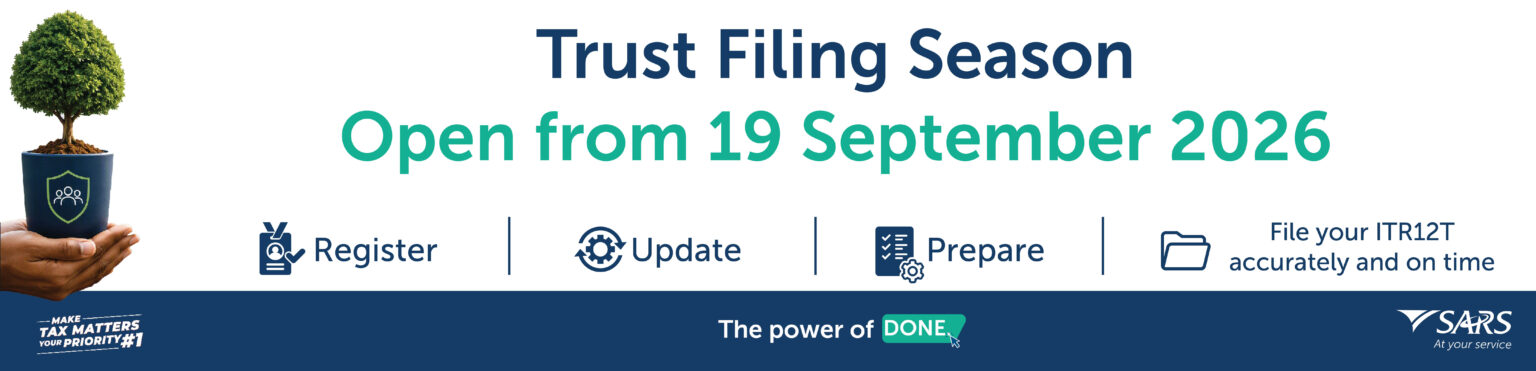
18 September 2026 – Trust Filing Season opens on 19 September 2026
Trustees and representative taxpayers should ensure that the trust is registered for income tax; the trust registered details are correct; and all financial records and supporting documents are ready before completing the Income Tax Returns for Trusts (ITR12T). Trustees remain accountable for the trust’s tax compliance, even when assisted by a tax practitioner. Prepare early, verify all information, and submit an accurate ITR12T through SARS eFiling by 22 January 2027.
Key dates for Trust tax matters:
- 31 August 2026: first provisional tax payment for the 2027 assessment year
- 19 September 2026: opening date for ITR12T submissions
- 30 September 2026: deadline for IT3(t) return submissions
- 22 January 2027: final deadline for provisional and non-provisional trust tax return (ITR12T) submissions
- 28 February 2027: second provisional tax payment for the 2027 assessment year
Registering as a Trust
A trust must register with SARS for the taxes that it may be liable for. To register a trust with SARS, you may:
- Register the trust via the SARS Online Query System (SOQS)
- Or visit a Branch – remember to make an appointment first
What is a trust return?
The Income Tax Return for trusts is called the ITR12T. The form is available on eFiling or may be obtained at a SARS branch and captured by a SARS official on behalf of the representative taxpayer or Tax Practitioner of the trust.
How to submit the ITR12T:
- eFiling: Taxpayers who have not yet registered for eFiling are encouraged to do so as this enables them to complete and submit the return online in a secure environment.
- SARS branch: If you are representing a trust with ten or fewer beneficiaries you may have the ITR12T captured by an agent at the branch. Any trust that distributed or vested amounts to more than 10 beneficiaries during the year of assessment must register and submit the ITR12T via eFiling.
Top Tip: Asking for the ITR12T to be posted to you is no longer an option and trust returns received via post will be rejected.
Estates
Introduction
An estate can arise due to various circumstances. In the context of natural persons, it consists of a deceased estate and/or an insolvent estate as a result of sequestration. In the context of a company or close corporation that is declared insolvent, liquidation takes place.
Deceased Estates
When a natural person (taxpayer) dies, that person is called a ‘deceased person’ and all his or her assets on the date of death will be placed in an estate. This estate is called an estate of a deceased person (commonly known as a ‘deceased estate’). Assets in a deceased estate can amongst other things include immovable property and movable property, cash in the bank, etc.
The person who administers a deceased estate is called an ‘Executor’. Once the Executor has finalised all the administration in the deceased estate, the remaining assets (after paying all the debts) will be distributed to the beneficiaries.
Upon the death of an individual taxpayer, there are two types of assessments that must be considered: a pre-date of death assessment and a post-date of death assessment. The post-date of death assessment is for income earned and deductions applicable to the deceased estate after date of death (for example rental and/or interest income earned by the deceased estate).
Insolvent Estates
Individuals that are declared insolvent are sequestrated and dealt with under the provisions of the Insolvency Act, 24 of 1936. The effect of sequestration is that the insolvent person is divested of his or her estate which is vested in the Master until a trustee has been appointed, and, upon the appointment of a trustee, the estate vests in the trustee.
An insolvent estate is a “person” for income tax purposes and must register as a separate entity for income tax. It is taxed at the same rates applicable to natural persons, but does not qualify for the primary rebate or the interest exemption.
A deceased estate can also become insolvent and is dealt with under section 34 of the Administration of Estates Act, 1965.
Return for Deceased or Insolvent Estate
At present, the return that must be completed for deceased or insolvent estates is the same as the income tax return used for individuals (ITR12). This means that there are certain sections on the return that are not applicable to a deceased or insolvent estate.
This is applicable to executors representing individuals who have passed away on or after 1 March 2016, and appointed trustees/administrators where an individual becomes insolvent and income accrued or business was conducted from the date of sequestration.
Government
Welcome to the Government webpage
SARS is committed to working with Government Institutions to ensure high levels of voluntary compliance. We believe in building effective and beneficial partnerships with Government by collaboration, monitoring compliance and resolving Government’s tax affairs. Our priority is to understand and enable Government as both a taxpayer and as a strategic partner in the tax compliance value chain.
SARS is therefore committed to:
- Provide CLARITY and CERTAINTY for taxpayers and traders of their obligations
- Make it EASY for taxpayers and traders to comply with their obligations
- DETECT taxpayers and traders who do not comply and make non-compliance HARD and COSTLY
- Work with and through Stakeholders to improve the tax ecosystem
The three Spheres of Government
- National Government Departments – institutions responsible for maintaining internal and external security and stability of the country.
- Provincial Government Departments – sub-divisions of government which share political, fiscal and economic powers with the national government.
- Local Government Institutions – local government departments responsible for a range of vital services for people and businesses in demarcated areas. Municipalities fall within Local Government.
There are 278 municipalities in South Africa, comprising of 8 metropolitans, 44 districts and 226 local municipalities. Categories:
- Category A: Metropolitan municipality
- Category B: Local Municipality
- Category C: District Municipality
What is a Government Institution?
The definition of a Government Institution includes:
- National Government Departments per Schedule 1 of the Public Service Act
- Provincial Government Departments per Schedule 2 of the Public Service Act
- National Parliament and Provincial Legislatures
- Local Government: Municipalities and Municipal Entities
- Public Entities as listed in the Public Finance Management Act (PFMA)
- Public FET Colleges, Universities, Public Hospitals, Public Schools, Public Museums and Public Pension Funds
The accounting officer (Municipal Manager, Director General or Superintendent General) is the representative taxpayer for a Government Institution and must ensure that registered particulars are up to date, returns are filed and paid on time, and the correct tax is being paid.
Small Businesses – Taxpayers
About Us
This page is dedicated to Small, Medium and Micro Enterprises (SMME) Taxpayers. SMMEs are vital to South Africa’s economy – they account for approximately 34% of GDP and employ about 60% of the workforce.
The SMME Taxpayers Division in SARS represents the needs and interests of this sub-segment and supports entrepreneurs to meet their tax obligations easily.
Turnover Tax
Turnover Tax aims at reducing and simplifying tax compliance for small businesses. Qualifying businesses with annual turnover of up to R2.3 million may register. The first R600 000 of turnover is tax free. Rates are capped at 3%.
| Turnover Range | Tax rate |
|---|---|
| R0 – R600 000 | 0% |
| R600 001 – R950 000 | 1% |
| R950 001 – R1 400 000 | 2% |
| R1 400 001 – R2 300 000 | 3% |
Turnover Tax replaces Income Tax, Provisional Tax, Capital Gains Tax and Dividends Tax with one simple return for qualifying micro businesses.
Other support for small businesses
- Small Business Corporations (SBC) – reduced progressive income tax rates for qualifying companies with turnover up to R20 million.
- VAT Registration Threshold – raised to R2.3 million, so fewer small businesses need to register for VAT.
- Capital Gains Tax exemption on disposal of a small business – increased to R2.7 million for qualifying disposals.
- Employment Tax Incentive (ETI) – encourages the employment of young people.
Tax Exempt Institutions
Key Income Tax Exemption Information
As part of the introduction of the Income Tax Exempt Institutions online application, SARS provides a brief description of each of the Exemption Types and a checklist to assist applicants with the requirements to apply for Income Tax Exemption.
SARS has introduced an online application system for Income Tax Exempt Institutions on eFiling and at all SARS branch offices. Existing exempt institutions can maintain registered particulars, apply for additional exemption status (such as Section 18A), or request withdrawal of an existing exemption.
Who can apply for exemption?
Nature of Entity Types that CAN apply for exemption include:
- Association of Persons (Voluntary Association) – PBO Section 10(1)(cN), Recreational Club Section 10(1)(cO), Small Business Funding Entity Section 10(1)(cQ), Professional Body
- Institution, Board or Body established by law – Section 10(1)(cA)(i)
- Public Benefit Organisations (PBOs)
- Certain Public Institutions (Public Schools, Universities, Public Hospitals, Museums, etc.)
Entities that cannot apply for exemption include: Sole Proprietors, Partnerships, Closed Corporations, Personal Liability Companies, and ordinary companies that are not PBOs.
How to apply
Before applying, entities must:
- Appoint a Registered Representative
- Register for Income Tax (if the entity does not yet have an Income Tax number)
- Register for eFiling
- Ensure all supporting documents are complete
- Have bank account details in the name of the applying entity
Applications can be submitted via eFiling or at any SARS branch office. SARS has developed simplified application checklists to help entities prepare the required supporting documents.
File a return
Submit your Personal Income Tax return (ITR12) online or at a SARS branch.
How to file your tax return
You can submit your Personal Income Tax return (ITR12) in several ways. The easiest and quickest method is online through eFiling or the SARS MobiApp.
1. Online (eFiling)
The easiest and quickest way. Register for eFiling, capture your return, and click File Return. eFiling will validate the information and notify you of any errors before final submission.
Go to eFiling2. SARS MobiApp
Submit your return using the official SARS MobiApp on your phone. A helpful tutorial video is available on the SARS YouTube channel.
3. At a SARS branch
Visit any SARS branch where an agent can capture the return electronically for you, or collect a printed form for manual completion. Forms are also available at South African Post Offices.
Book an appointmentFiling online via eFiling – step by step
- Register or login to eFiling (if you are not yet registered, complete the registration process first).
- Select the relevant tax year and open your ITR12 return.
- Capture all required information (income, deductions, etc.).
- Click File Return to submit. eFiling will automatically validate the information and highlight any errors that need correction.
- Once all errors are fixed, submit the final return. You will receive a confirmation.
Important reminders
- • Have all supporting documents ready before you start
- • Do not submit supporting documents unless SARS requests them
- • Keep documents safely for at least 5 years
- • Make an appointment if you visit a branch
Need more help?
You can also view the detailed guide on the official SARS website or book a branch appointment for assistance.
See full ITR12 guide →Track my refund
Check the progress of your Personal Income Tax refund online without visiting a branch.
How to track your tax refund
You can now check the progress of your Personal Income Tax Return and refund status online. This helps you stay informed without needing to contact the SARS Contact Centre or visit a branch.
Check Tax Return Status
Use the SARS Tax Return Status Dashboard to see the progress of your Personal Income Tax Return online.
Check Refund Status
The time it takes to process your refund depends on the accuracy of your banking details and whether there are any outstanding returns or audits.
Processing Time
If banking details need verification, the process can take up to 21 business days from the date all required documents are received. Once validated, the refund is usually paid within 72 hours.
View on eFiling
On eFiling you can see both the refund amount and the payment date on the Income Tax Statement of Account (ITSA). Payment details also appear on the Notice of Assessment (ITA34).
How to check your refund on eFiling
- Login to your eFiling profile.
- Go to your dashboard and look for the Refund Status section.
- You can also open the Income Tax Statement of Account (ITSA) to see the refund amount and expected payment date.
- Check your Notice of Assessment (ITA34) for further payment details.
Tips for faster refunds
- • Ensure your banking details are correct and up to date
- • Submit all required supporting documents promptly
- • Resolve any outstanding returns or audits
- • Keep your contact details current on eFiling
Related services
You may also find these pages useful:
eBooking
Book an appointment at a SARS branch. Please complete the details below.
Capture Details
Register as a taxpayer
Register for a tax reference number and start complying with your tax obligations online.
How to register as a taxpayer
The easiest way to register is online through SARS eFiling. If you do not yet have a personal income tax number, SARS will automatically register you and issue a tax reference number during the eFiling registration process.
What you need
- • A valid South African ID number
- • A working email address and/or cell phone number (for the OTP)
- • Access to the internet
Steps to register on eFiling
Start the registration process on the SARS eFiling platform.
Provide your ID number and other required personal information.
Choose a unique username and a strong password that meets the security requirements.
Fill in the remaining personal information and submit the registration form.
SARS will send an OTP to your preferred communication method (SMS or email). Enter it to finalise the registration.
Once registration is successful you can log in using the username and password you created. SARS will also issue your tax reference number during this process if you did not already have one.
Ready to register?
Start the eFiling registration process now. It only takes a few minutes.
Start eFiling RegistrationAlready registered?
If you already have an eFiling profile, simply log in to access your tax affairs.
Login to eFilingRegister for eFiling
Create your SARS eFiling profile to submit returns and manage your tax affairs online.
Register
Please enter personal details.
Register for eFiling
Please enter contact and login details. Note that your contact details will be used as your security contact details going forward.
Register
Please enter contact and login details. Note that your contact details will be used as your security contact details going forward.
Login to eFiling
Access your SARS eFiling profile to file returns, view assessments and track refunds.
Welcome, please login
to SARS eFiling
Forgot Username
Please enter ID or Passport number and contact details to recover your username.
Forgot Username
Please enter ID or Passport number and contact details
Forgot Password
Please enter your username to reset your password.
Forgot Password
Please enter your username
Approve Online Request
SARS would like you to approve your online request. Please indicate your preferred channel and click OK to authorize.
Approve Online Request
SARS would like you to approve your online request. Please indicate your preferred channel and click OK to authorize.
Need to update Contact Details? Click here
Update Contact Details
Please enter your personal details to update your contact information.
Update Contact Details
Please enter your personal details.
About SARS
What SARS does
The South African Revenue Service (SARS) is the nation’s tax collecting authority. Established in terms of the South African Revenue Service Act 34 of 1997 as an autonomous agency, we are responsible for administering the South African tax system and customs service. See an overview of 100 Years of Tax for more background.
Our Strategic Intent
To give effect to our mandate, our strategic intent is to develop and administer a tax and customs system of voluntary compliance, and where appropriate, enforce responsibly and decisively.
It is our vision to build a smart, modern SARS with unquestionable integrity that is trusted and admired.
Our 9 Strategic Objectives
- Provide CLARITY and CERTAINTY for taxpayers and traders of their obligations
- Make it EASY for taxpayers and traders to comply with their obligations
- DETECT taxpayers and traders who do not comply, making non-compliance HARD and COSTLY
- Develop a HIGH performing, DIVERSE, AGILE, ENGAGED and EVOLVED workforce
- Increase and expand the use of DATA within a comprehensive knowledge management framework
- Modernise our systems to provide DIGITAL and STREAMLINED online services
- Demonstrate EFFECTIVE STEWARDSHIP of our resources to ensure EFFICIENCY and EFFECTIVENESS in the delivery of quality outcomes and performance excellence
- Work with and through STAKEHOLDERS to improve the TAX ECOSYSTEM
- Build PUBLIC TRUST and CONFIDENCE in the tax administration system
How we do it
We are heedful of the role of taxation in nation-building and therefore deem the tax system as an asset that belongs to the nation. In doing our work, we are guided by the code of conduct and the principles of SARS values:
- Uncompromising regard for Taxpayer Confidentiality
- Unquestionable Integrity, Professionalism and Fairness
- Exemplary Public Service
- Incontestable insights from Data & Evidence
Our approach to promoting compliance is based on three principles. We must make taxpayers aware of their obligations, make it easy to meet them and act against those who break the law.
Types of Tax
In this section of the website we look at each tax.
In this section of the website we look at each tax
We hope to keep it simple and to answer these five main questions for each and every tax.
IS IT?
IS IT
FOR?
STEPS MUST
I TAKE?
SHOULD IT
BE PAID?
SHOULD IT
BE PAID?
Finding what you’re looking for
On each tax page we included the latest documents and forms for each tax. If you can’t find any document you’re looking for try our FIND A PUBLICATION system. If that form still eludes you then why not try our FIND A FORM system. And on each page we have added a few FAQs. And guess what if you can’t find that answer we also have a FIND AN FAQ section.